Add a transition that actually fits
Drop a transition from the Elements library straight onto the timeline, then stretch it in time until it lands on the beat you want.
- Drop a transition onto the timeline
- Remap it in time to fit the cut
Flexile’s Elements library puts ready-made transitions, effects and overlays inside After Effects. Preview one in the panel, double-click it, and it lands on the playhead, fitted to your comp.
Free during beta on macOS and Windows. No card, no trial.
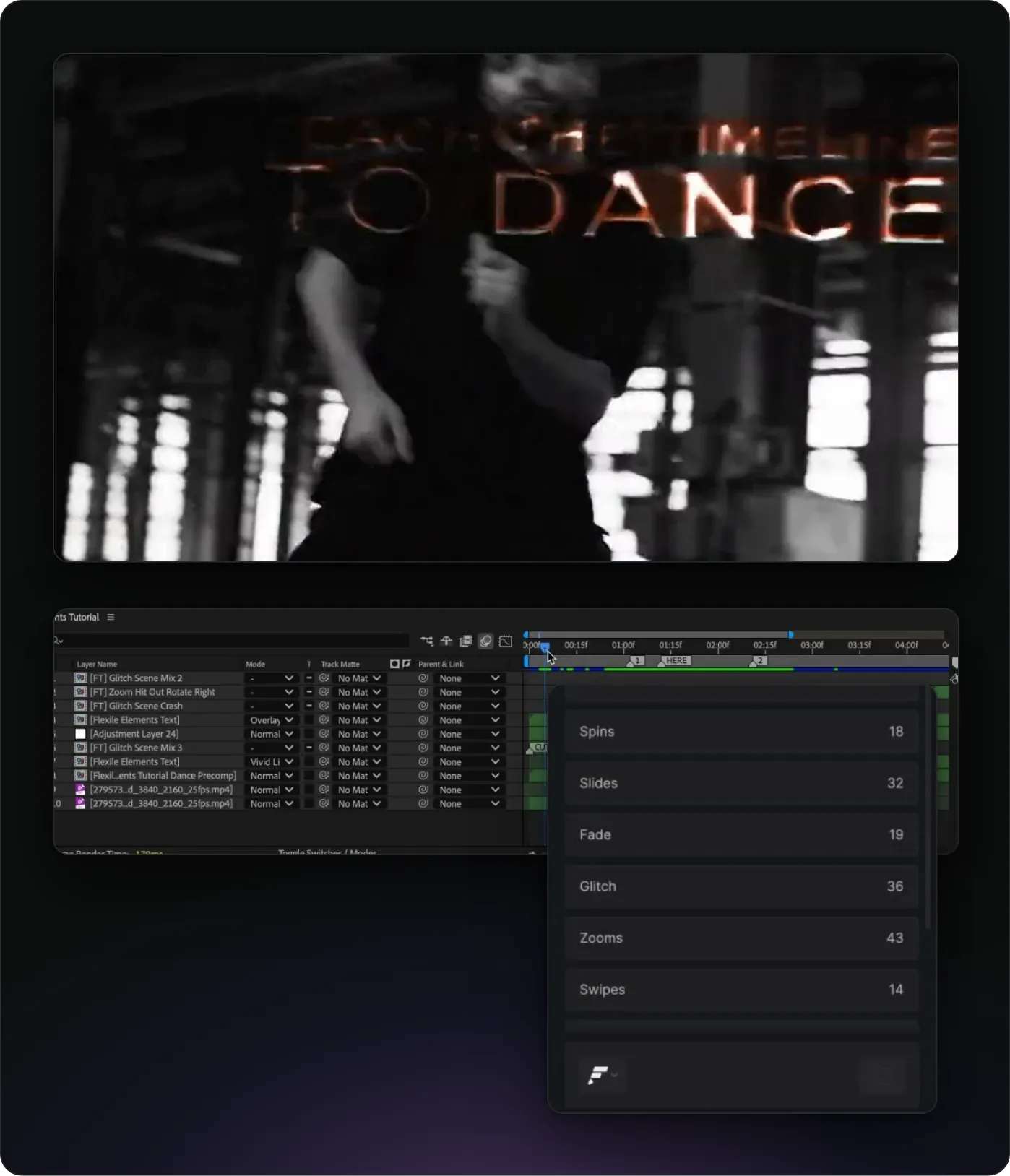
An Element is a ready-made After Effects composition that adds a transition, an effect or an overlay to your comp. You pick it from a list instead of building it from layers and keyframes. Flexile imports the file that holds an Element into your project once, and later inserts reuse it.
The Elements page lists 100+ transitions, plus effects, grouped into categories. Each Element has a preview video, and you can favourite the ones you reach for most.
Flexile places the new layer with its timing marker, or its start, at the playhead. It centres the layer, fits it to the comp, names it and colours its label. The whole insert is one undo step, named Apply Element.
Select Element layers you already placed, then double-click a different Element. Flexile replaces them at the same time and position instead of stacking a new layer on top, so you can try a few looks on the same cut.
Select the Element layer, open Element Options from the panel’s context menu button and switch on Flexible Time Remap. Then move the layer’s start and end, and the Element retimes to fit, so you can stretch a transition until it lands on the beat you want. Elements that support it also offer Random Seed.
Short, silent screen recordings from the panel. The Learn page has an interactive Elements tutorial that runs in the same project you see in these clips and checks each step as you go.
Drop a transition from the Elements library straight onto the timeline, then stretch it in time until it lands on the beat you want.
This tutorial runs inside the panel, in the project from the video, and you get full access to that project.
Adobe After Effects 2025 or newer
macOS or Windows
A free Flexile account, signed in inside the panel: create your free account
The extension, installed with the Flexile installation guide
About 150 MB of disk space for the Elements pack, which downloads in the background after you sign in, with no restart
Flexile is free for everybody with an account during the beta, with every feature unlocked. If the pack download keeps failing, you can install the Elements pack by hand.
Elements is one page of Flexile, an all-in-one After Effects plugin. The same panel eases keyframes, animates text, runs quick tools such as bounce and wiggle, and turns audio into beat keyframes and subtitles.
Comparing transition libraries? Read Motion Bro and Animation Composer compared, or browse more free plugins for After Effects.
Yes, during the beta. Every account gets all features at no cost, with no trial and no credit card step. We will announce the date and the prices of paid plans in advance on the pricing page and by email.
During the free period, yes. The free period has no commercial restriction.
Flexile lists 100+ transitions. The Elements pack, about 150 MB, also holds effects, each with its preview.
No. Flexile’s MCP server covers the Animation, Text, Tools and Audio pages but not Elements, so AI apps cannot insert Elements. You add transitions yourself in the panel.
In ~/Library/Application Support/Flexile/elements on macOS and %APPDATA%\Flexile\elements on Windows. The panel downloads the pack after you sign in and installs pack updates itself.
Flexile supports After Effects 2025 or newer, on macOS and Windows.
Write to us at contact@flexile.io.
The same panel also does this, free during beta.
Ease every selected keyframe at once: 26 presets, Peak and Smart modes.
Animate text by character, word or line with 15 effects.
Turn the kick, the bass or any frequency band into keyframes.
Turn speech or lyrics into subtitle layers with a model on your computer.
Let Claude, ChatGPT desktop or Cursor work in your After Effects project.
Every feature unlocked while Flexile is in beta. No card, no trial.
macOS and Windows