Smooth out any animation
Our bezier handles are far simpler than the graph editor, and they act on as many selected keyframes as you like. Shape the easing once and every keyframe you picked follows.
- Smooth the easing on a keyframe
Shape one bezier curve or pick one of 26 presets, then apply it to every move between the keyframes you selected, on as many properties as you like. Peak mode adds a fast hit inside a move. Smart mode makes a run of keyframes follow one curve.
Free during beta on macOS and Windows. No card, no trial.
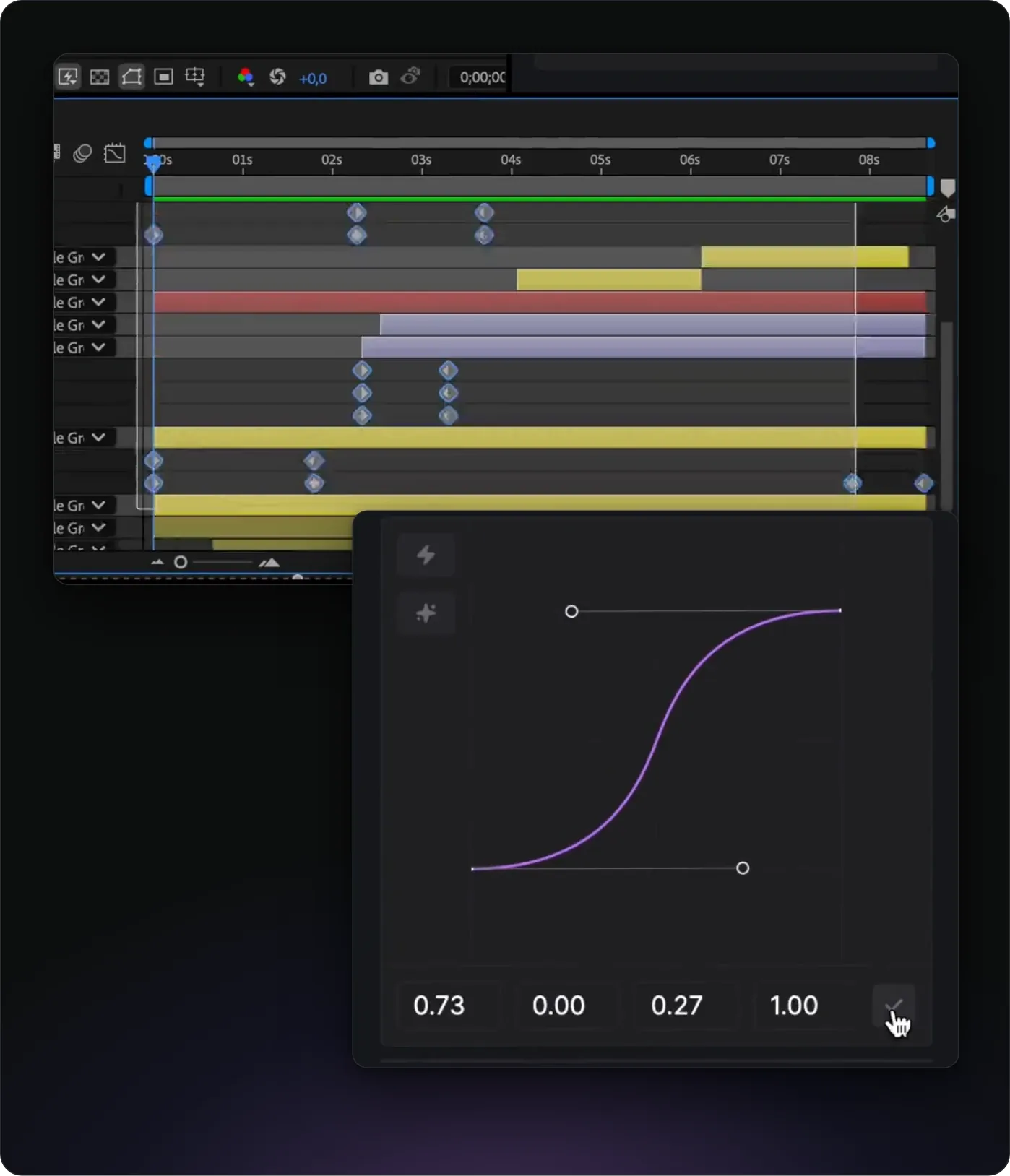
Easing lives on the Animation page of the Flexile panel, next to text animation, transitions, quick tools and audio. Select keyframes in the timeline, set the curve in the bezier editor or the preset grid, and click Apply.
Flexile writes the curve as After Effects’ own temporal ease, the influence and speed of each keyframe, and replaces the ease that was there. It eases every move between the selected keyframes at once, on any number of properties. Every apply is one undo step, in bezier, Smart and Peak mode.
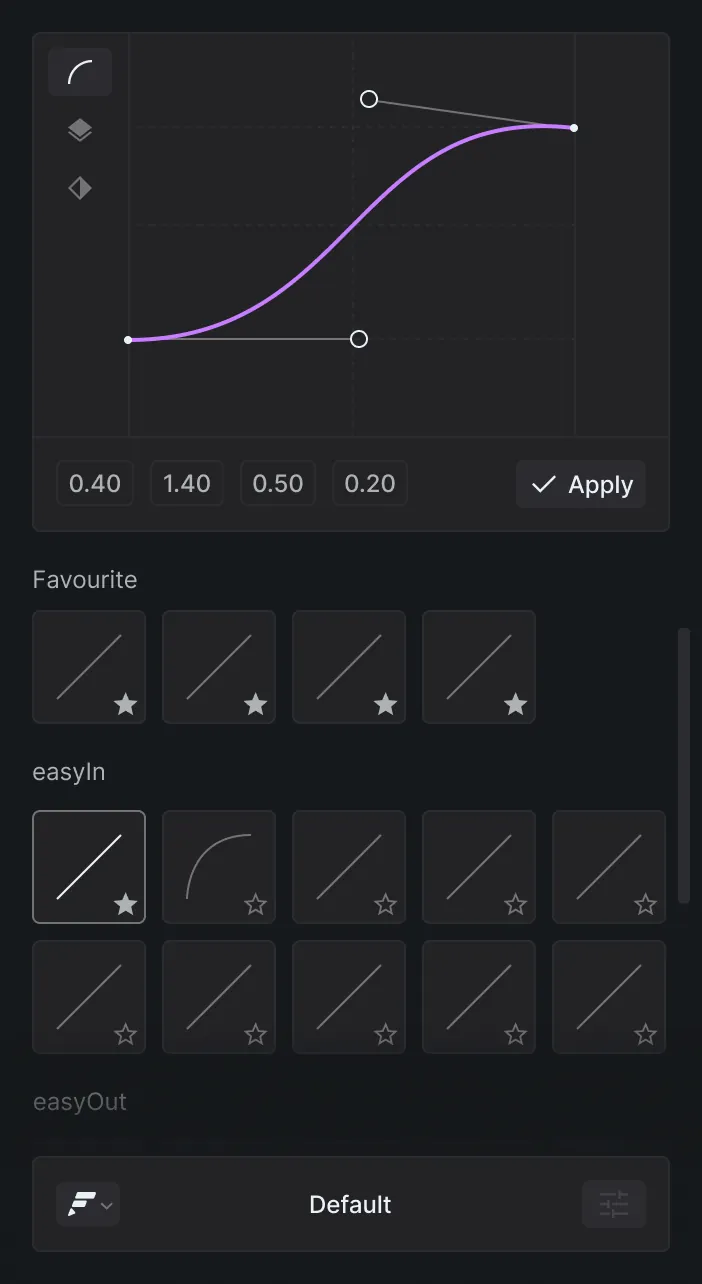
Drag the two handles or type the four values (-1 to 1, two decimals). The speed graph and the animated ball preview show the timing before you apply. Right-click the editor to reset it.
Cmd+Z or Ctrl+Z once.With nothing selected, the panel says “No keyframes selected”. For the native route with Easy Ease, our guide shows how to ease keyframes without the graph editor.
A short, silent screen recording. The panel also has an interactive animation tutorial that checks your work as you go.
Our bezier handles are far simpler than the graph editor, and they act on as many selected keyframes as you like. Shape the easing once and every keyframe you picked follows.
This tutorial runs inside the panel, in the project from the video, and you get full access to that project.
The grid holds 26 curves under four group headers. Tiles show the curve, not its name. Click one to load it into the editor, then adjust it or apply it as it is.
easyInOut (6): Default plus the Sine, Quad, Quart, Quint and Back in-out curves.easyIn (7): Sine, Quad, Cubic, Quart, Quint, Expo and Back ease-ins.easeOut (8): Sine, Quad, Cubic, Quart, Quint, Expo and Back ease-outs, plus easeInOutCubic.peak (5): curves with a built-in speed peak. Clicking one switches Peak mode on.Four presets run outside the 0 to 1 range, for anticipation or overshoot: easeInOutBack, easeInBack, easeOutBack and easyInOutOvershootPeak2. A linked spatial property cannot overshoot, so when you apply a curve outside that range to Position or another spatial property, Flexile separates its dimensions first.
Some moves need a fast hit to feel right. Peak mode finds that moment and adds it for you, and you drag to set how strong it feels.
Select 2 keyframes on each property, where the move starts and where it ends. For each pair, Flexile adds a keyframe between them and eases both halves with split curves. Peak mode can’t be on while Smart mode is on.
By hand, a peak means dragging a keyframe up near the top of the speed graph and pulling its handles toward the center, as Adobe’s speed guide describes.
Smart mode is for a run of keyframes that should read as one move. Select at least 2 keyframes per property. Flexile splits them into groups that move in one direction, keeps each group’s first and last key, and retimes the keys in between so the whole run follows one curve.
It detects direction changes in 1D, 2D and 3D values. A turn of 90 degrees or more starts a new group.
Yes. Your AI uses the same curves through Flexile’s MCP server, from apps such as Claude, ChatGPT desktop or Cursor. It can ask for 37 named curves (19 motion tokens such as enter, exit-soft and spring-lively, plus 18 panel presets) or any CSS cubic-bezier, in bezier, Smart or Peak mode.
When the AI animates a layer that already has keyframes, it re-eases them instead of replacing them, then samples the motion to catch hitches and linear keys. A prompt to try:
Re-ease every keyframe on the Logo layer with an expensive-looking ease-out.
After Effects’ own Easy Ease (F9) sets each selected keyframe to a speed of 0 with 33.33% influence on both sides. Shift+F9 eases in and Cmd+Shift+F9 (Ctrl+Shift+F9 on Windows) eases out, per Adobe’s keyboard shortcuts. Any other shape means dragging handles in the Graph Editor or typing values in the Keyframe Velocity dialog.
Other easing tools for After Effects, with prices from each official page, checked 25 September 2026. Flexile is our own product.
What Flexile does not have: its presets include back curves but no elastic or bounce curves. For a bounce after a keyframe, use the Overshoot or Bounce rig on the Tools page, which adds a slider-driven expression to one layer at a time, or write your own bounce expression.
Adobe After Effects 2025 or newer, the supported version
macOS or Windows
A free Flexile account: start for free
The extension, set up with the installation guide
Bezier mode: at least 2 keyframes. The curve shapes each move between them. For Smart mode, at least 2 keyframes per property. For Peak mode, 2 keyframes per property.
Free during beta, with paid plans announced in advance on the pricing page
Flexile supports After Effects 2025 or newer, on macOS and Windows.
Yes, during the beta, with every feature unlocked and no card. When paid plans start, you keep your account and nothing is charged automatically.
Yes. In bezier mode the curves work on one-dimensional values, 2D and 3D spatial properties, colours and shape paths.
Yes, for the keys in the middle of a run. It keeps the first and last key of each group and retimes the keys between them. Plain bezier mode rewrites the ease and leaves every key where it is.
Write to us at contact@flexile.io.
The same panel also does this, free during beta.
Animate text by character, word or line with 15 effects.
Preview a transition, double-click to insert it and retime it to the cut.
Turn the kick, the bass or any frequency band into keyframes.
Turn speech or lyrics into subtitle layers with a model on your computer.
Let Claude, ChatGPT desktop or Cursor work in your After Effects project.
Every feature unlocked while Flexile is in beta. No card, no trial.
macOS and Windows